Ship the next thing.
Know it works.
Describe the journey. Let AI test your product.
See exactly what happened, before your users do.
Client workflows across industries




See the whole
testing story.
Create the cases. Run the checks. Understand the result.
Explore the features inside AuraCheck.
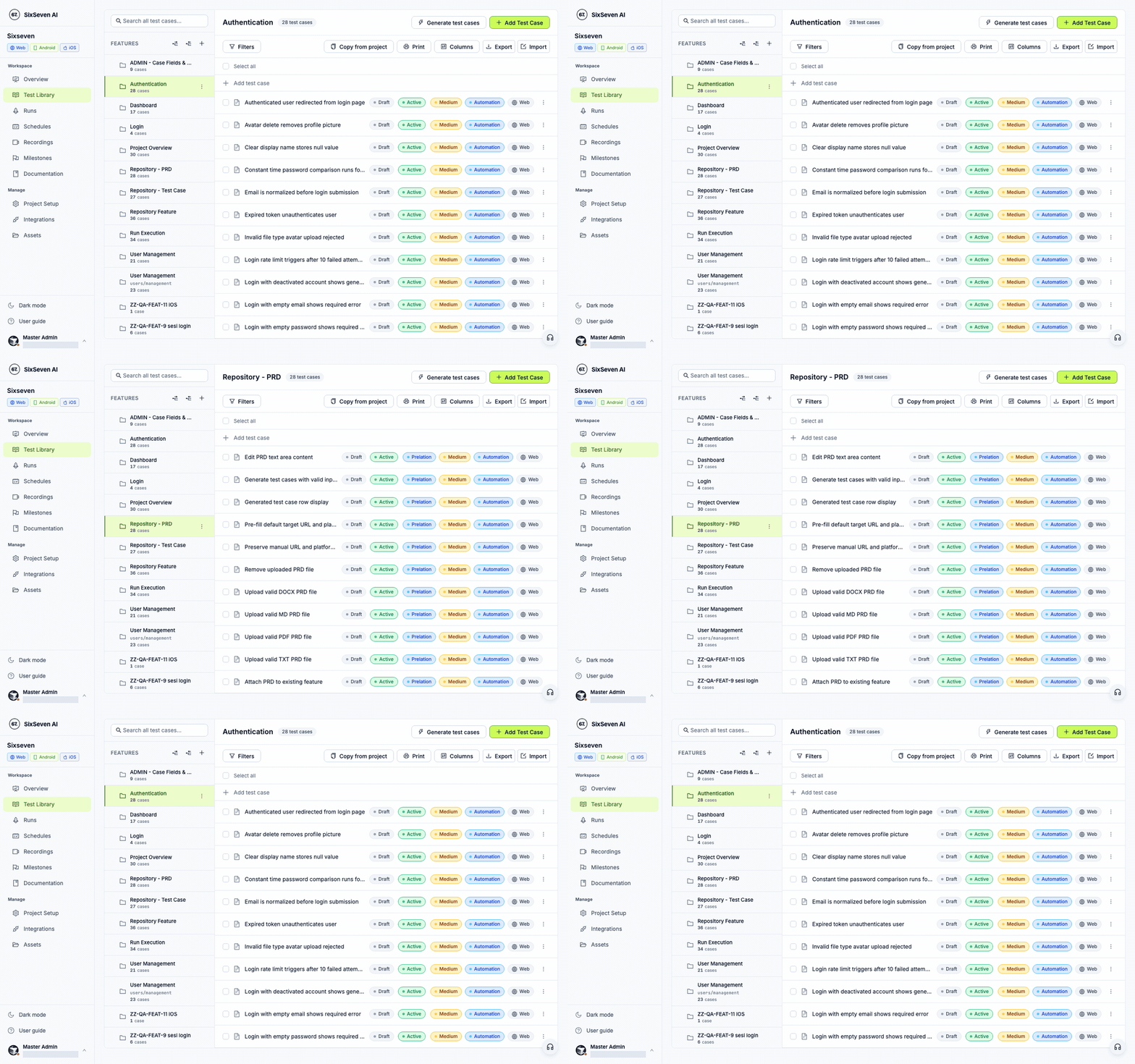
Turn requirements into reviewable test cases.
Generate a draft from your PRD. Organize cases by feature, then review the steps and expected outcomes with your team.
- PRD-to-test generation
- Feature-organized test library
- Reviewable steps and assertions
Your words.
A real test.
Write the steps you care about in plain language. AuraCheck interacts with the screen, checks your assertions, and captures the journey.
Explore test creation- Open the seller dashboard
- Go to Pengaturan
- Enter a new store name
- Click Simpan Perubahan
- Check the expected outcome
Readable by your team
Review steps and expectations before you run.
Built around the screen
Vision AI locates controls and takes action.
Evidence at every step
Inspect actions, screenshots, and timings.
Ready for a handoff
Connect findings to your issue tracker.
One important journey.
A better place to start.
Bring your first testA real run. In full view.
This is the TOCO seller-settings report you can inspect in AuraCheck: screen captures, individual actions, and execution timings in one place.
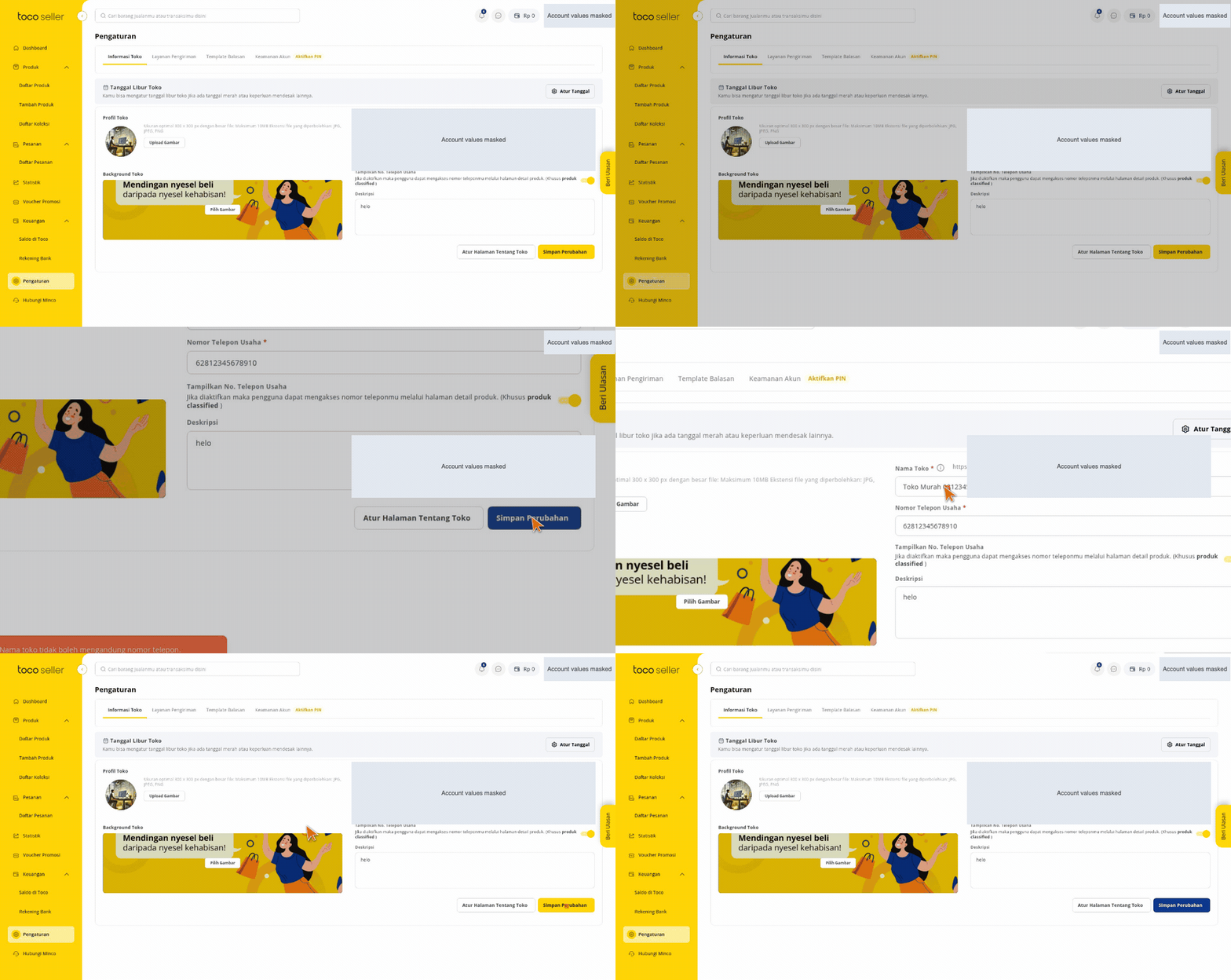
GIF from the selected report. Account values are masked.
Seller login screen is displayed
Pengaturan page is displayed
Actions, screenshots, and timings
From first case to next release.
Keep the test plan, execution, and follow-up connected.
A home for the journeys that matter.
Build a test library your team can review and reuse.
- 01Define the feature
- 02Review test cases
- 03Agree on assertions
A functional check in your pipeline.
Trigger a run and follow the result through your workflow.
- 01Create a run
- 02Execute the journey
- 03Inspect the evidence
Connect your tools
MCP, CI triggers, and issue-tracker workflows.
Test internal products
Project VPN access for environments behind the network.
Make evidence useful
Find the action, inspect the screen, and plan the fix.
Your phone.
Your desktop.
The same testing workflow.
Bring Android and iOS journeys into AuraCheck. Use the desktop app for local Android execution, with a connected device or emulator. Prepare an iOS device or simulator through WebDriverAgent.
Desktop downloads for Windows and macOS. The GIF shows a real Android run.
- 01 Install AuraCheck Desktop
- 02 Connect your Android device or emulator
- 03 Run the case and inspect its evidence
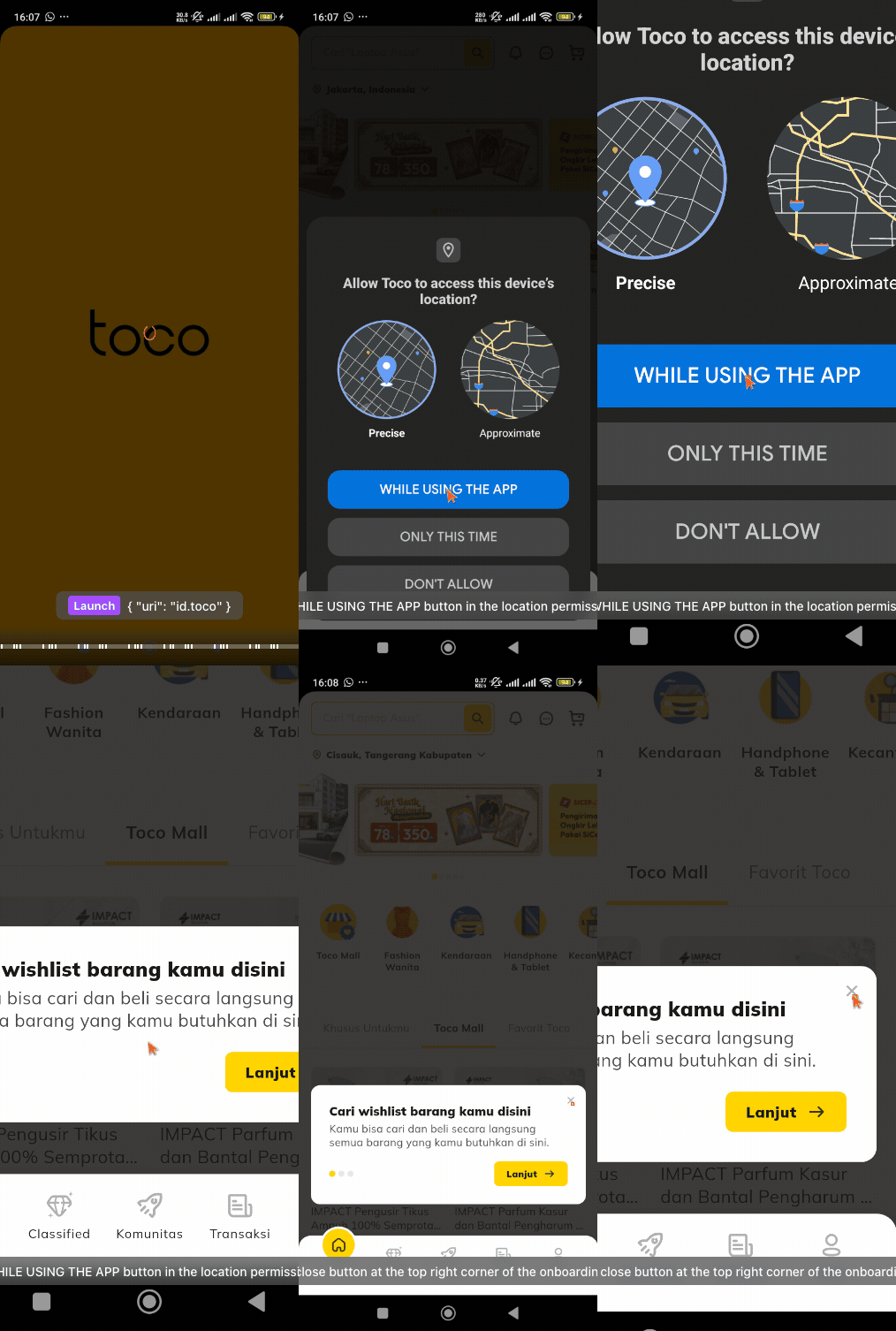
App launch → location permission → onboarding
Your agent builds.
AuraCheck verifies.
Connect Claude Code, Codex, or Cursor through AuraCheck MCP. Let your agent read project code, create test cases, execute runs, and retrieve evidence.
› Review the seller settings journey.
Propose the assertions.
Run the approved case.
Show me the execution evidence.
sixseven.read_codesixseven.create_testcasesixseven.execute_runsixseven.get_evidenceOne workflow. More ways to test.
Web testing
Follow the full browser journey.
Mobile testing
Verify Android and iOS experiences.
PRD to test cases
Turn requirements into reviewable cases.
CI/CD checks
Add functional checks to a release.
Private networks
Reach internal apps with project VPN.
Coding agents
Connect your workflow through MCP.
Execution evidence
Inspect what the agent actually did.
Scheduled testing
Keep important journeys in rotation.
Notes from the testing floor.
All resourcesHow does AuraCheck run an E2E test?
You define the user journey and expected outcomes. AuraCheck uses vision AI to interact with the interface, execute the steps, and attach evidence to the run. Review the generated cases before execution, then inspect the results and screenshots.
Do I need to write test code?
You can start from a PRD or plain-language steps. The generated cases and automation scripts stay reviewable, so QA engineers can refine assertions, data, and execution details when needed.
Can I test web and mobile apps?
Yes. AuraCheck supports browser, Android, and iOS testing. The Windows and macOS desktop app runs Android tests on a connected device or emulator. iOS connects through WebDriverAgent and requires its own host and device setup.
Can it reach an app behind a VPN?
Projects can configure an OpenVPN connection and a kill switch to block execution when the required tunnel is disconnected. Internal routes and network access must be configured for your environment.
Can my team keep its existing tools?
Yes. AuraCheck includes integrations for Jira, Trello, Lark, and Testmo, plus CI tokens and MCP tools. Support varies by integration; the integration guides explain the actual connection method.
Is every green test proof the release is bug-free?
No. A passing run verifies the assertions and paths that were tested. Use it alongside unit tests, exploratory testing, and human review. AuraCheck makes the evidence easier to inspect.
Your next release deserves proof.
Bring one important user journey. See what AuraCheck can do with it.